Discover how BlockDistraction helps boost productivity. From simple website blocking to Focus Sessions, recurring Scheduled Focus, Rule List profiles, Daily Limits and a privacy-first design.
Coming from BlockSite? Compare privacy, Free and Pro features, and the steps to switch.
Compatible with all major desktop browsers, including Chrome, Firefox, Edge, Brave, and Opera, plus Firefox and Microsoft Edge on Android.
Afrikaans 🇿🇦, Amharic 🇪🇹, Arabic 🇸🇦, Bengali 🇧🇩, Bulgarian 🇧🇬, Catalan 🇪🇸, Chinese (China) 🇨🇳, Chinese (Taiwan) 🇹🇼, Croatian 🇭🇷, Czech 🇨🇿, Danish 🇩🇰, Dutch 🇳🇱, English (US) 🇺🇸, English (Canadian) 🇨🇦, English (UK) 🇬🇧, Estonian 🇪🇪, Filipino 🇵🇭, Finnish 🇫🇮, French 🇫🇷, German 🇩🇪, Georgian 🇬🇪, Greek 🇬🇷, Gujarati 🇮🇳, Hebrew 🇮🇱, Hindi 🇮🇳, Hungarian 🇭🇺, Indonesian 🇮🇩, Italian 🇮🇹, Japanese 🇯🇵, Kannada 🇮🇳, Korean 🇰🇷, Latvian 🇱🇻, Lithuanian 🇱🇹, Malay 🇲🇾, Malayalam 🇮🇳, Marathi 🇮🇳, Norwegian 🇳🇴, Odia 🇮🇳, Persian 🇮🇷, Polish 🇵🇱, Portuguese (Brazil) 🇧🇷, Portuguese (Portugal) 🇵🇹, Romanian 🇷🇴, Russian 🇷🇺, Serbian 🇷🇸, Slovak 🇸🇰, Slovenian 🇸🇮, Spanish 🇪🇸, Spanish (Latin America) 🇲🇽, Swahili 🇰🇪, Swedish 🇸🇪, Tamil 🇮🇳, Telugu 🇮🇳, Thai 🇹🇭, Turkish 🇹🇷, Ukrainian 🇺🇦, Vietnamese 🇻🇳.
The extension automatically uses your browser's language. No additional setup is required.
Your browsing history, blocked website addresses and rule contents stay on your device. Optional technical analytics are disabled by default and never include browsing activity.
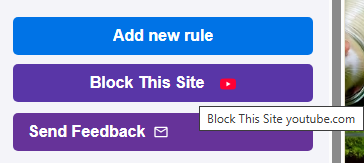
Block sites with a single click. Blocking rules are stored locally and processed by the extension on your device.
Universal Pro License. One license covers supported browsers across your devices, whether you choose Monthly, Annual, or Lifetime access. Use your Pro key with Chrome, Firefox and Edge on desktop, plus supported Firefox and Edge versions on Android.
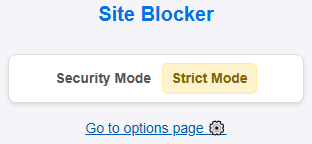
Prevents accidental rule deletion with a 10-second countdown. Keeps you disciplined.

Lift your spirits and stay productive while blocking distractions.
Start a protected focus period instantly. Free mode provides 25-minute sessions. Pro unlocks custom durations from 1 to 240 minutes and Hardcore Mode, which disables normal stop controls and rule changes until the timer ends. The session resumes after a browser restart.
Build a weekly focus routine. Pro automatically starts a normal Focus Session with your current Blacklist rules on selected days, at your device’s local time, for 1–240 minutes. Skip the next session when plans change.
Organize rules into named profiles such as Work or Study. Switch the active profile to change which rules, categories, schedules, and Daily Limits are currently in effect.
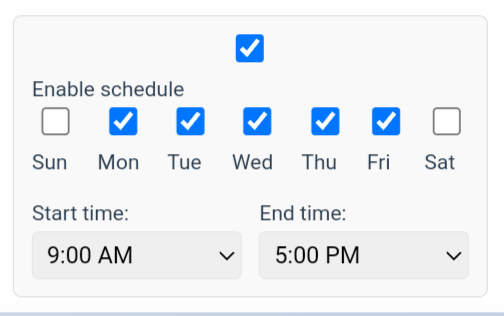
Choose when each rule blocks a website, using different day groups and time periods. Set weekday work hours, separate weekend periods, or overnight blocking. To start a timed Focus Session automatically, use Scheduled Focus.
Give selected sites a daily time budget instead of blocking them immediately. Visible foreground use counts toward the limit; when the budget is exhausted, blocking begins until the next local day.
Choose which sites remain available during an Allow Whitelist Only Focus Session. Cross-validation prevents overlapping Blacklist and Whitelist targets; Whitelist rules do not override broader blocks.

Protect sensitive extension actions with a password and add accountability to your blocking setup. Learn how it works and where its limits remain.
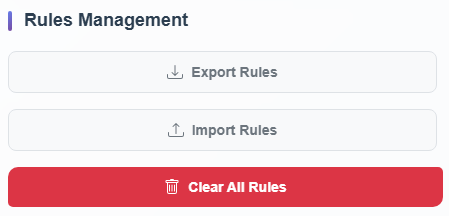
Back up your rules or transfer them between supported browsers using JSON files.
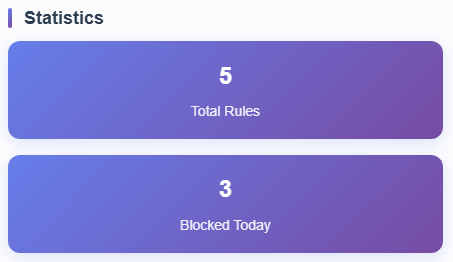
Visualize your progress. See how many times blocked rules were triggered and track your successfully completed Focus Sessions.
| Feature | Free Version | BlockDistraction Pro |
|---|---|---|
| No Browsing History Collection | ✔ Included | ✔ Included |
| Site Blocking | Up to 10 rules | Unlimited rules |
| Strict Mode | ✔ | ✔ |
| Motivational Quotes | ✔ | ✔ |
| Focus Sessions | ✔ Fixed (25 mins) | ✔ Customizable (1-240 mins) |
| Scheduled Focus | ✖ | ✔ Recurring Focus Sessions (1–240 mins) |
| Hardcore Session Lock | ✖ Can be stopped | ✔ Cannot be stopped through normal controls |
| Advanced Scheduled Blocking | ✖ | ✔ |
| Rule List Profiles | ✖ | ✔ Named Work/Study Profiles |
| Daily Usage Limits | ✖ | ✔ Per-Rule Daily Budgets |
| Whitelist Focus Strategy | ✖ | ✔ Allow Whitelist Only + Conflict Validation |
| Password Protection | ✖ | ✔ |
| Universal License (All Supported Devices) | ✖ | ✔ |
| Filter by Category | ✖ | ✔ |
| Rule Export/Import | ✖ | ✔ |
| Statistics & Focus Session History | ✖ | ✔ |
Still comparing options? Read our balanced guide to BlockDistraction and other website blockers.
No. BlockDistraction processes website blocking locally on your device. We do not collect, store, or sell your browsing history, visited website addresses, blocked website addresses, rule contents, or passwords. Optional aggregate technical diagnostics are disabled by default and never include browsing activity. See our Privacy Policy for details.
Yes. BlockDistraction is publicly documented and indexed by independent developer resources. This allows anyone to learn how the extension works, its permissions, and its technical architecture. We believe transparency helps users make informed decisions. Read the technical overview →
Not through the normal extension interface. Once a Pro user starts a Focus Session with Hardcore Mode enabled, the cancel button disappears and rule modifications are frozen. If the browser is closed or restarted, the extension resumes the active session on startup until the timer expires.
No. BlockDistraction controls supported web pages inside the browser, not separate Android applications. If a link opens in an app such as YouTube, that app is outside the extension's control. You can often change the browser or Android link-handling settings yourself so supported links stay in the browser; the available setting and its name vary by browser and device. See our browser blocker vs app blocker guide.
When you activate any Pro plan - Monthly, Annual, or Lifetime - you receive a License Key linked to your account. You can use the same key with supported browsers on your computer, including Chrome, Firefox and Edge, and with supported Firefox and Microsoft Edge versions on Android.
Monthly and Annual subscriptions start with a 7-day free trial. Lifetime is a one-time purchase, so it does not use a subscription trial. Instead, the same 14-day money-back guarantee gives Lifetime customers 14 days after purchase to evaluate Pro and request a full refund by contacting support.
Yes. Open the Danger Zone in My Account and replace the key. Your current key will stop validating immediately, and you will need to enter the new key in every installed copy of BlockDistraction. A key can be replaced once every 24 hours.